traefik使用
https://doc.traefik.io/traefik/
基于Cloudflare Tunnel来通过域名访问内网服务。
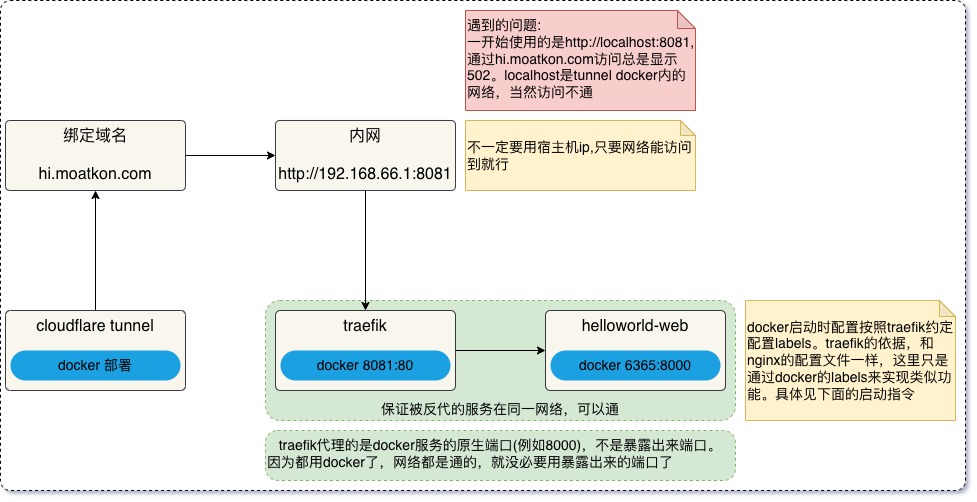
### 创建一个专用网络(这个看个人喜好)docker network create traefik_network

### 创建traefikservices:  traefik:    image: traefik:v3.6    command:      - "--api.insecure=true"      - "--providers.docker=true"      - "--entrypoints.web.address=:80"    ports:      - "8081:80"      - "8082:8080"    volumes:      - /var/run/docker.sock:/var/run/docker.sock    networks:      - traefik_network
networks:  traefik_network:    external: true # 表示外部,也可以用桥接
### 创建HelloWorld测试程序
docker run -d --name web-test --network traefik_network -p 6365:8000 --label "traefik.enable=true" --label "traefik.http.routers.web-test-router.rule=Host(\"hi.moatkon.com\")" --label "traefik.http.services.web-test-service.loadbalancer.server.port=8000" crccheck/hello-world- 测试 HelloWorld 是否正常:
curl http://localhost:6365# 应该返回 hello-world 页面- 测试 Traefik 是否正常:
curl http://localhost:8081# 应该返回 404 page not found(说明 Traefik 正常运行)- 测试Traefik路由是否工作:
curl -H "Host: hi.moatkon.com" http://localhost:8081# 应该返回 hello-world 页面(说明 Traefik 路由正常运行)可以多起几个web-test来负载均衡
Section titled “可以多起几个web-test来负载均衡”docker run -d --name web-test2 --network traefik_network -p :8000 --label "traefik.enable=true" --label "traefik.http.routers.web-test-router.rule=Host(\"hi.moatkon.com\")" --label "traefik.http.services.web-test-service.loadbalancer.server.port=8000" crccheck/hello-world
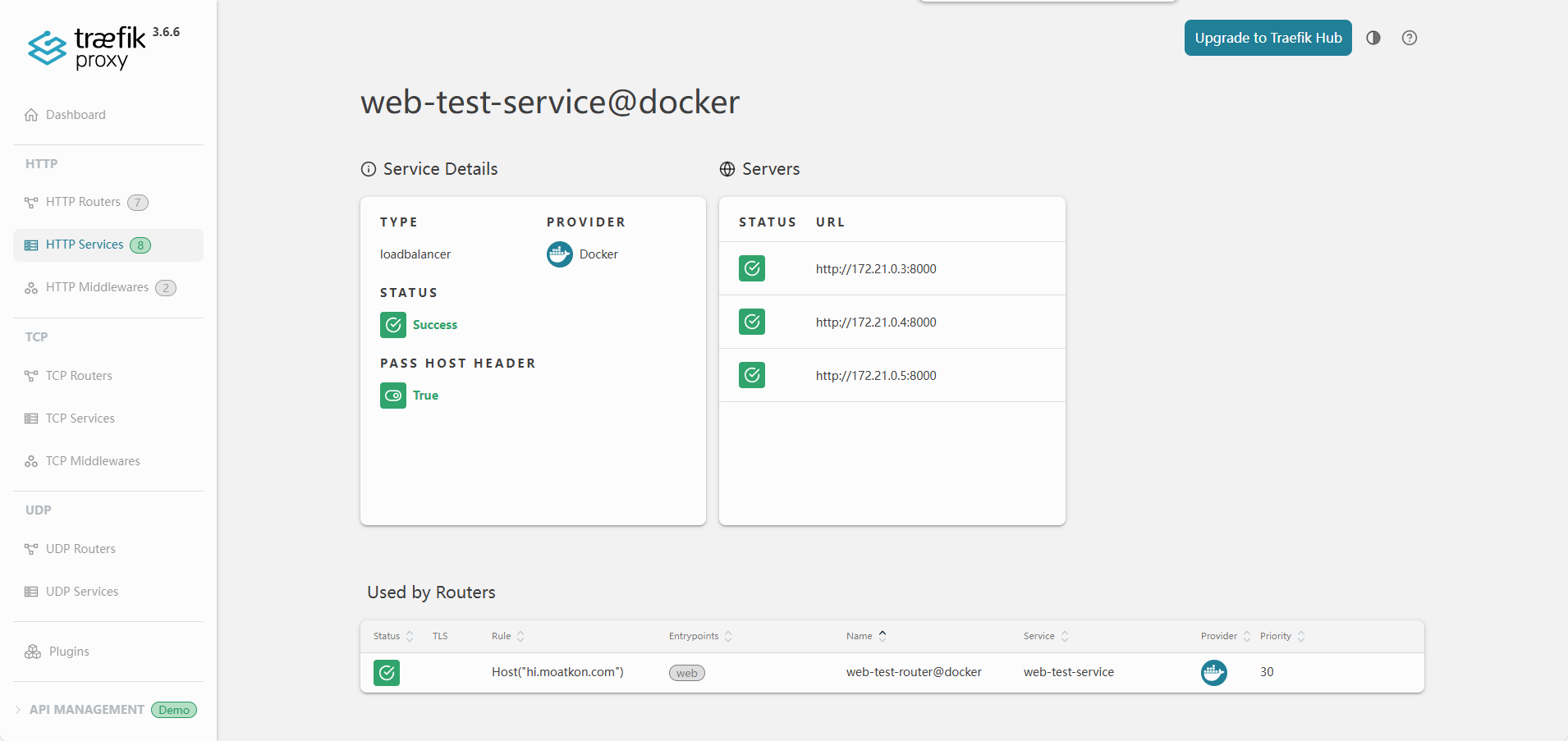
docker run -d --name web-test3 --network traefik_network -p :8000 --label "traefik.enable=true" --label "traefik.http.routers.web-test-router.rule=Host(\"hi.moatkon.com\")" --label "traefik.http.services.web-test-service.loadbalancer.server.port=8000" crccheck/hello-world起了多个容器:

负载均衡:
基于Starlight构建 | 主题色: Flexoki | 构建日期: 2026.03.28 | Change Log | Ko-fi